
The Divi wishlist plugin built for Divi 5
rscreate/wishlist-pro
No legacy label. No shortcode hacks. Three native modules, guest wishlists, back-in-stock emails and it actually works in the Visual Builder.
€29 one-time
✔ Lifetime license ✔ 1 year of updates & support
Version
V1.0.37
Requires
PHP 8.0+
Platform
Divi 5
Bundle size
105 KB
License
Single price
Everything a WooCommerce wishlist should be.
Most wishlist plugins are heavy, ugly, or both. Wishlist Pro is the one we wanted on our own client builds: small, native to Divi 5 and useful for recovering lost sales.
We should use it ourselves. That's not a marketing line.
01
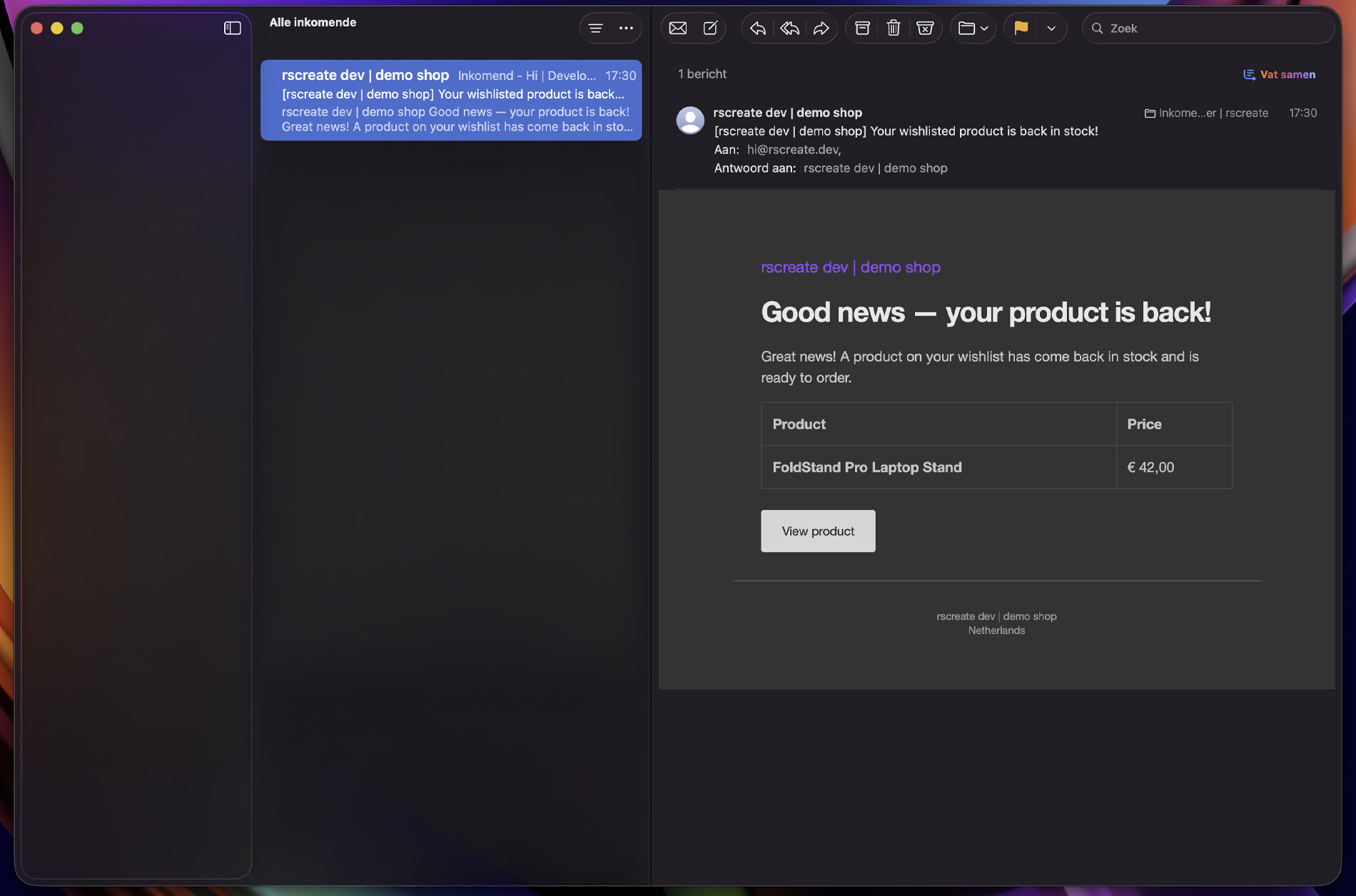
Back-in-stock emails that actually convert
When a sold-out product comes back, every customer who wishlisted it gets an automatic email. No third-party SaaS, no monthly fee. It runs on your own WooCommerce and WordPress cron.
✔ Triggers the moment stock crosses zero
✔ Branded, translatable email template
✔ Per-product opt-in, GDPR-friendly
02
A native Divi 5 module, not a shortcode
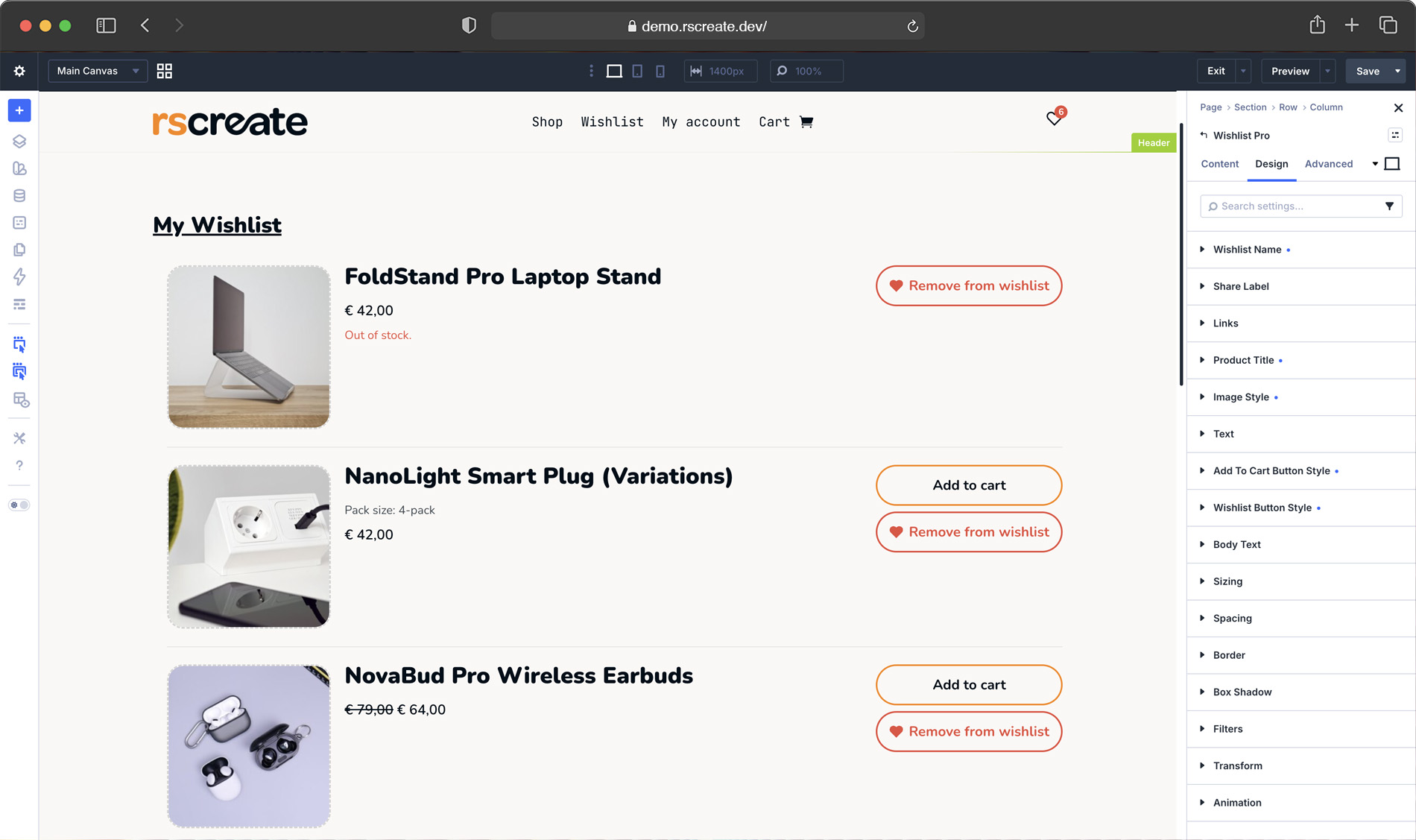
Drop the wishlist anywhere with a real Divi 5 module. Style every state in the builder; colours, spacing, icons and see it update live. It behaves exactly like a module Divi shipped itself.
✔ Full builder styling controls
✔ Live preview in the editor
✔ Works in headers, loops & templates
03
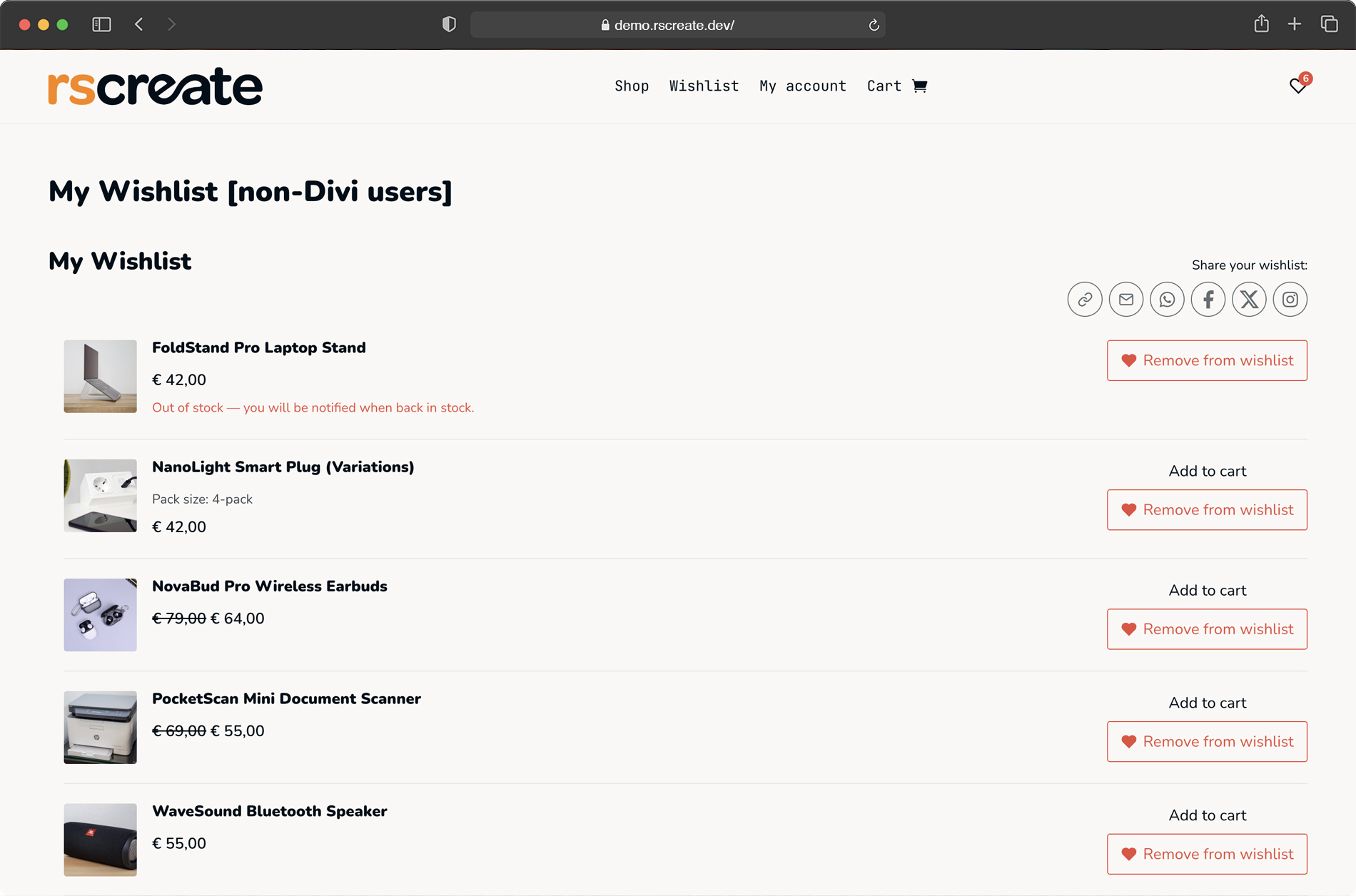
A wishlist page your customers actually use
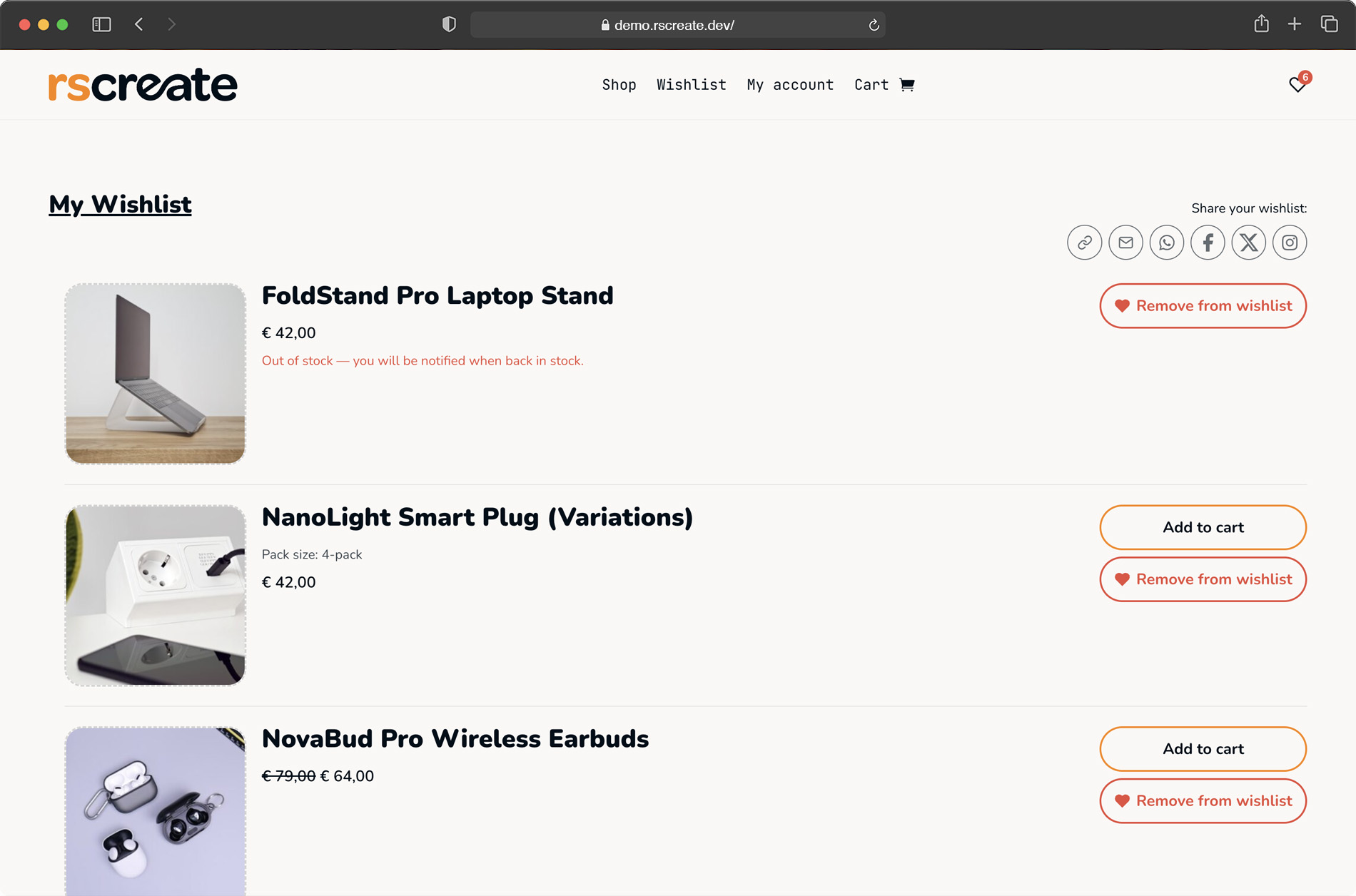
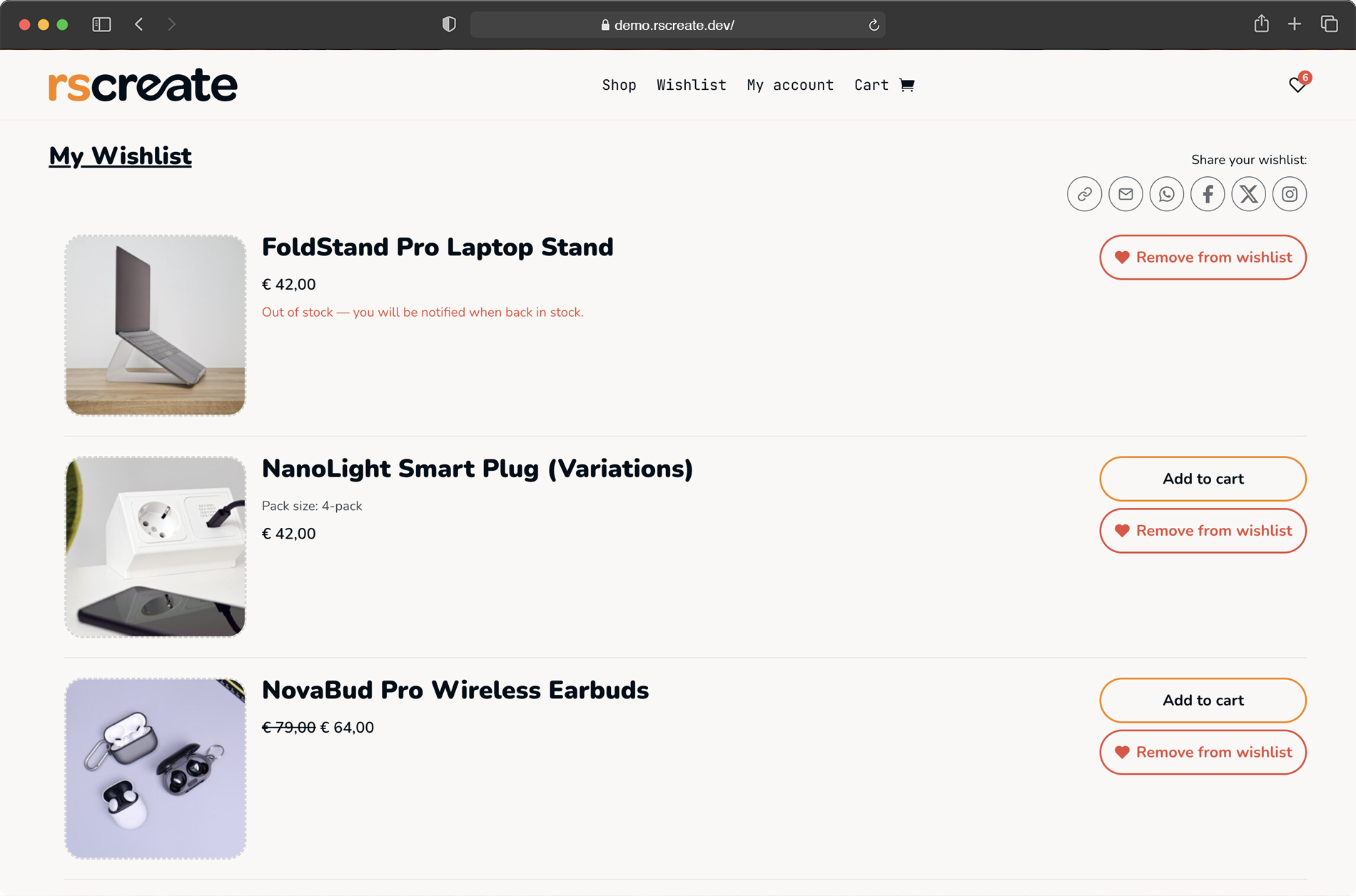
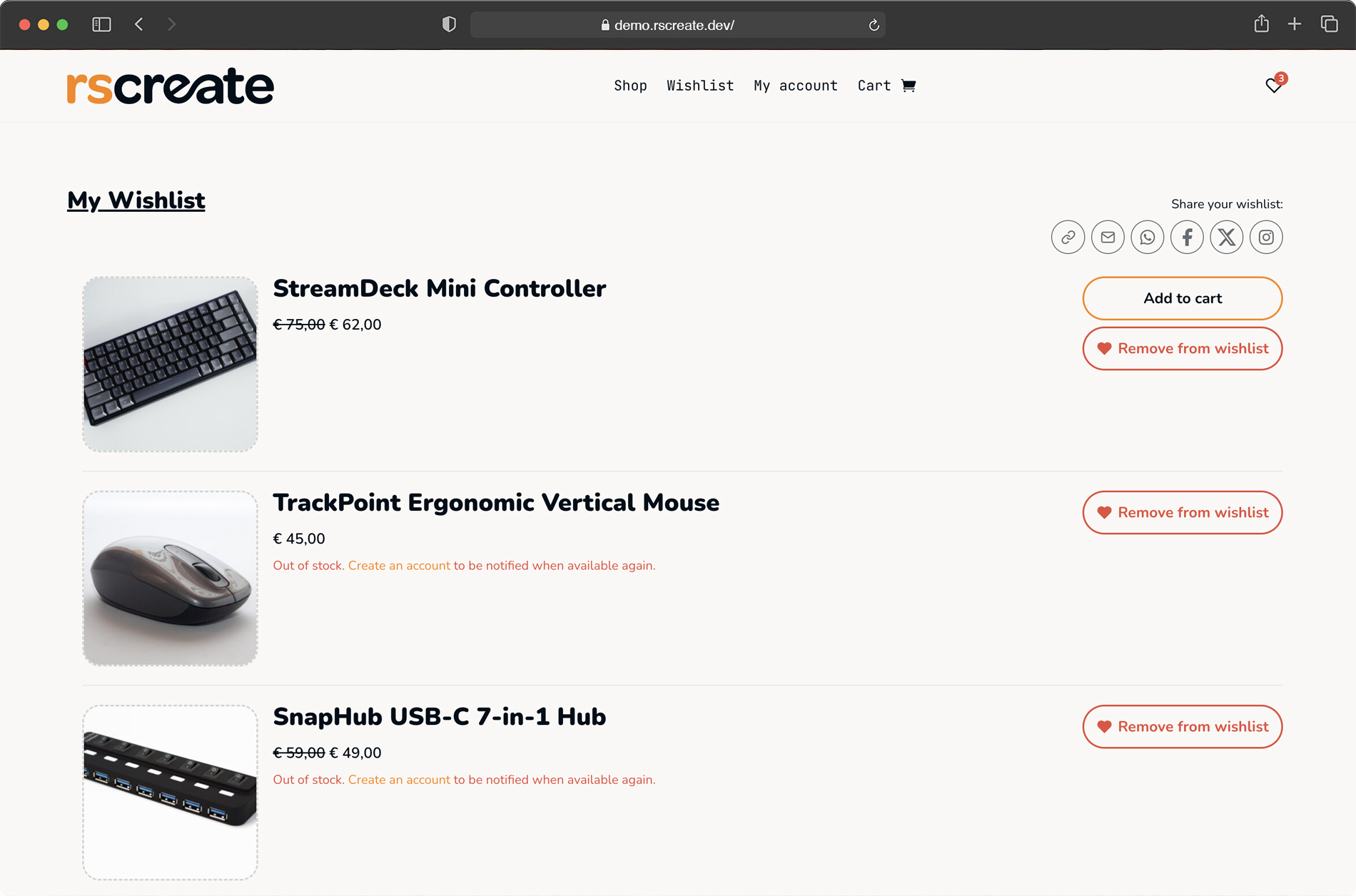
The wishlist page shows product image, name, price, variation info, and an Add to Cart button. Admins sort by date added, name, or price. You control what shows up per module instance, image on or off, price hidden, empty-state text your own words.
The wishlist tab appears in WooCommerce My Account automatically, synced with your module settings.
✔ Sort by date, name or price
✔ Per-instance display settings
✔ Wishlist tab in WooCommerce My Account
04
Sharing built in. No extra plugin needed
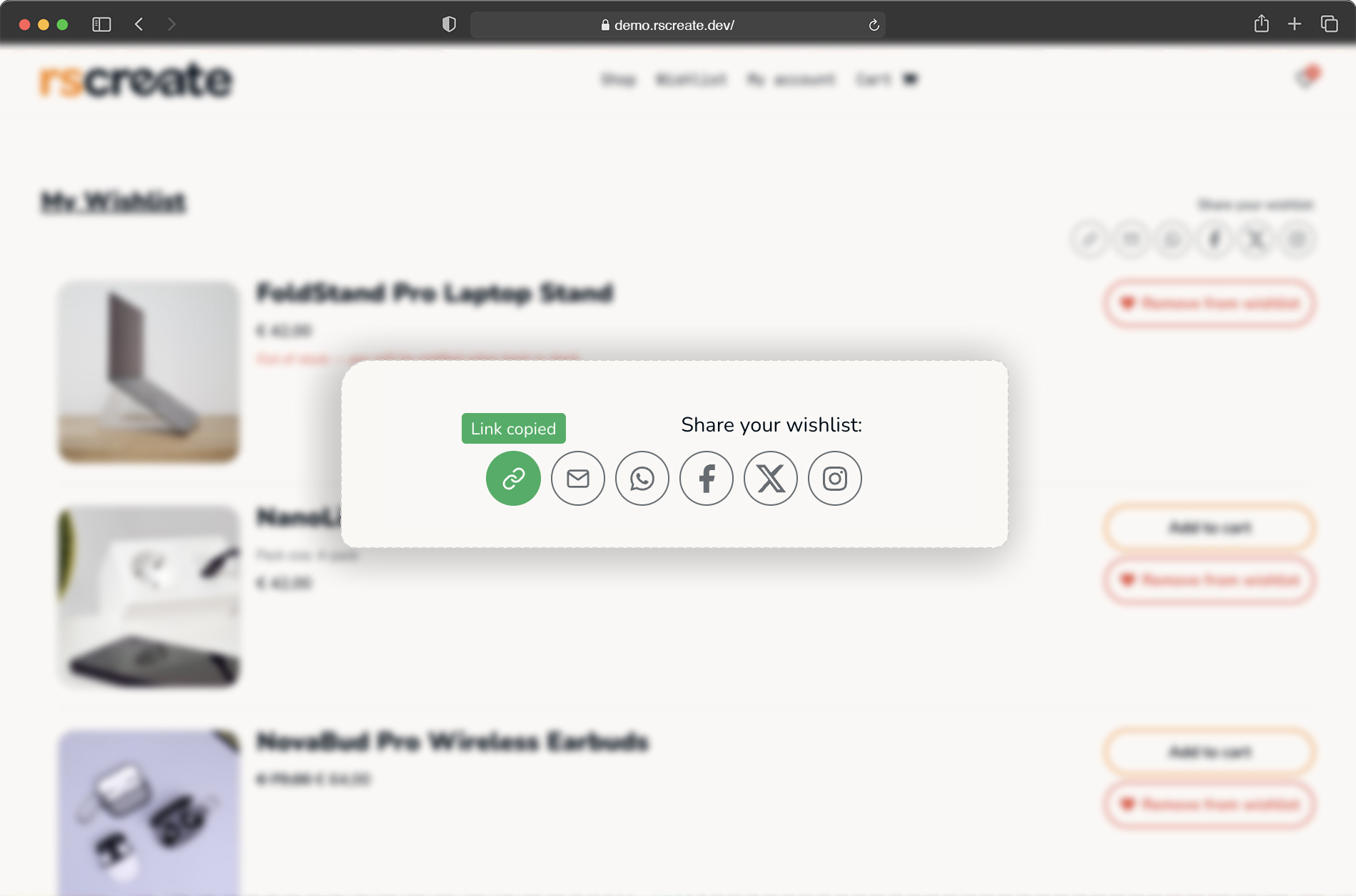
Every wishlist gets a unique URL. Customers share via copied link, email, WhatsApp, Facebook, X or Instagram. Share text for email, WhatsApp, and X is pre-filled. Customers don't have to think about what to write.
When someone copies the link, a small green confirmation appears. Minor detail. But it's the kind of thing customers notice.
✔ Unique shareable URL per wishlist
✔ Pre-filled share text for email, WhatsApp & X
✔ Copy confirmation with visual feedback
05
Works for guests. Merges on login
Customers don't need an account to save products. A persistent 30-day cookie keeps their wishlist between visits. Log in later and it merges automatically with the account wishlist.
No items get lost. No friction at the moment someone actually wants to save something.
✔ 30-day persistent guest wishlist
✔ Merges automatically on login
✔ Configurable item limit (or unlimited)
06
Saves the exact variant. Not just the product
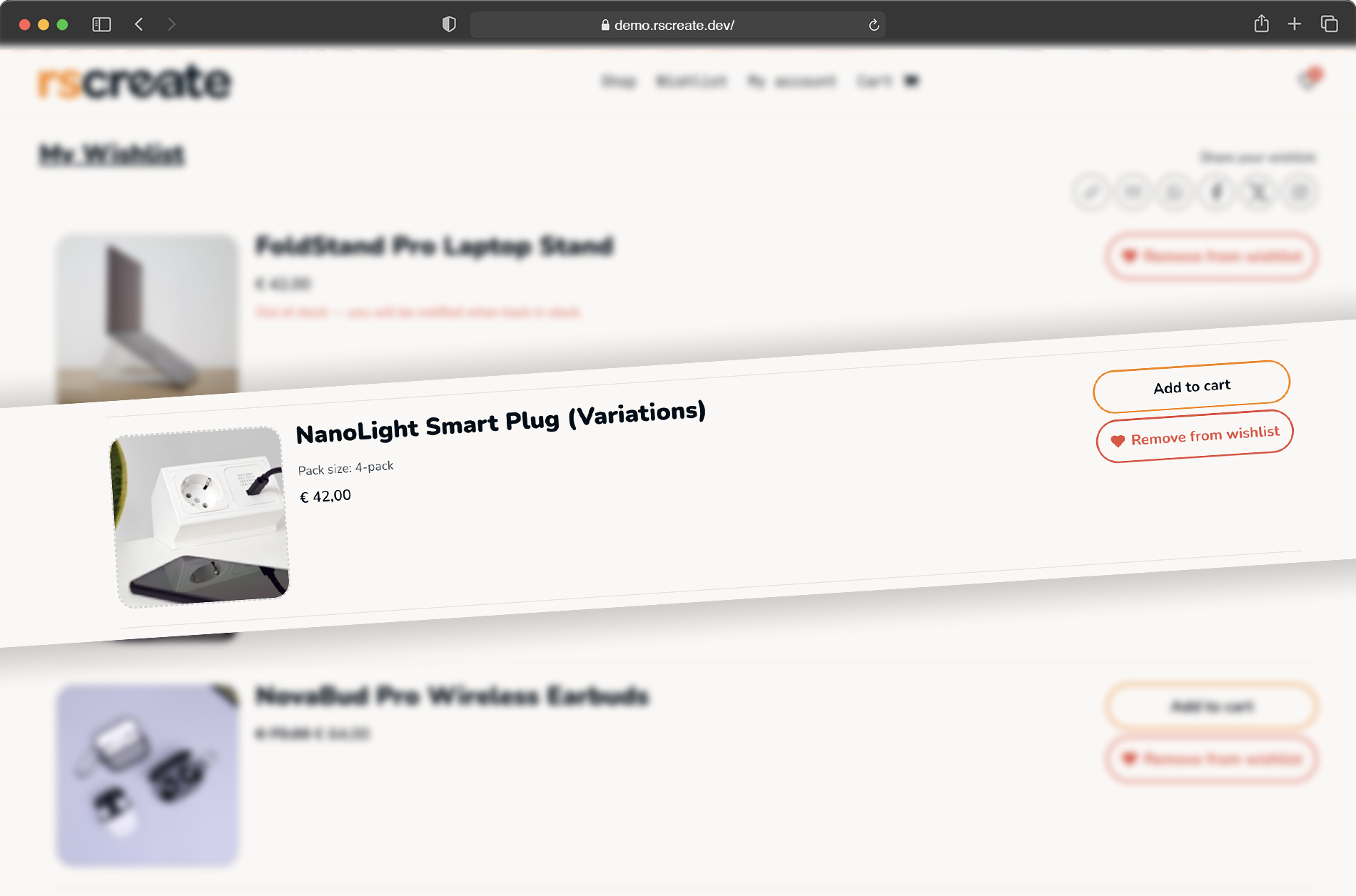
Most wishlist plugins save the product. Wishlist Pro saves the variation: color, size, storage option, whatever your shop uses. The button updates in real time when a customer switches variants on the product page.
On the wishlist page, the saved variant is shown alongside the product. Customers see exactly what they picked.
✔ Saves exact variant (color, size, etc.)
✔ Button updates in real time on variant switch
✔ Variation info visible on wishlist page
07
Admin panel with something useful in it
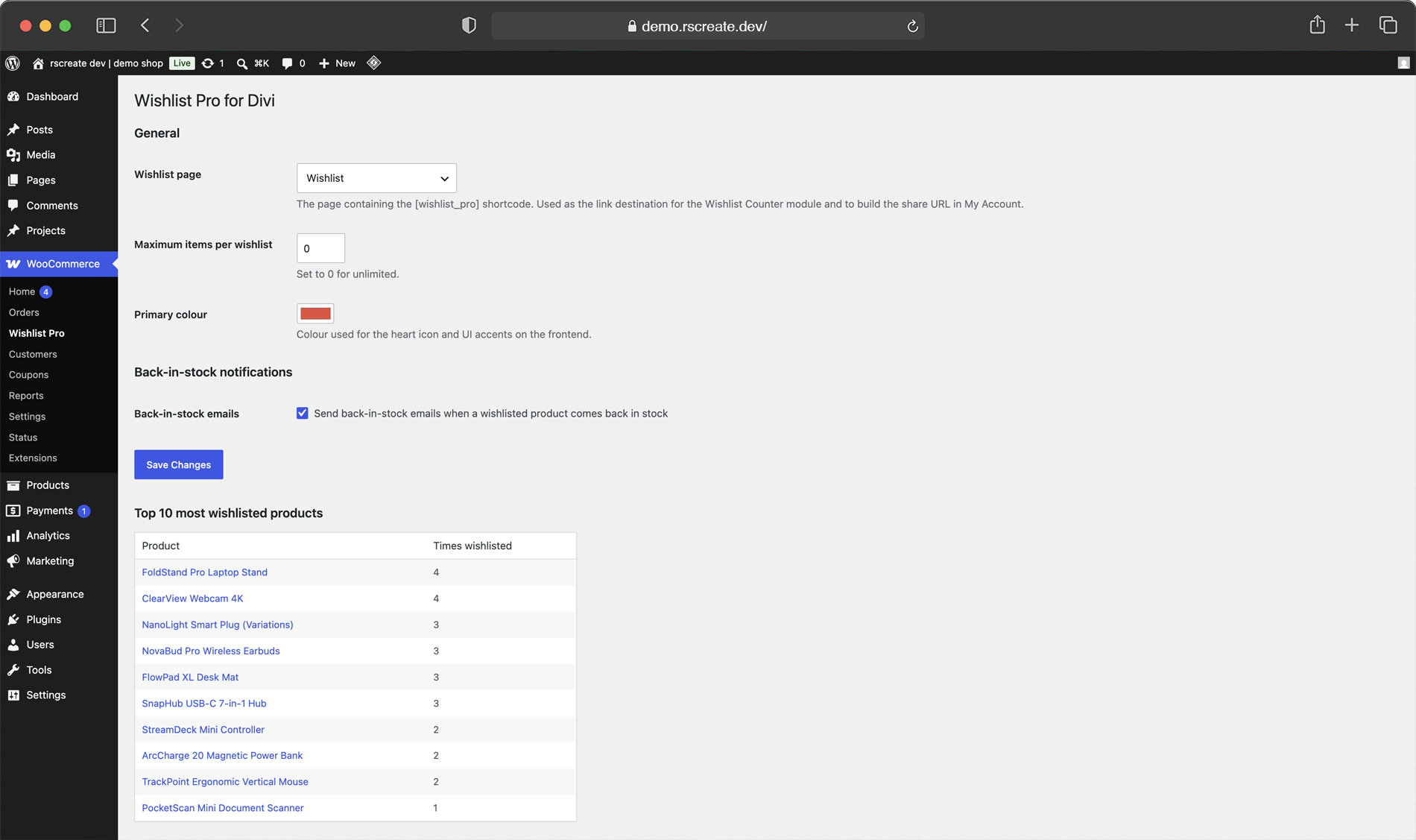
The settings page is under WooCommerce → Wishlist Pro. Set the wishlist page, configure the item limit, pick a primary color, toggle back-in-stock notifications.
Below the settings: a top 10 of the most wishlisted products in your store. Products customers keep saving but not buying. That's a list worth knowing about.
✔ Clean settings page under WooCommerce
✔ Top 10 most wishlisted products
✔ Toggle, color, page & item limit settings
08
Works without Divi too
Need the wishlist somewhere Divi doesn't reach? Three shortcodes cover it: [wishlist_pro] for the wishlist page, [wishlist_pro_count] for the counter, and [wishlist_pro_button] for a standalone button anywhere in WordPress — including Theme Builder templates.
✔ Works on any WordPress theme via shortcode
✔ [wishlist_pro_button] for Theme Builder templates
✔ Same functionality, no module required
09
Built for developers who like to tinker
Wishlist Pro has a REST API with GET, POST and DELETE endpoints for wishlist items, counter, and builder preview. All write endpoints use nonce verification. The codebase is PSR-4 autoloaded, typed and documented.
No Composer required on the server. No build step. Drop it in and extend it with standard WordPress hooks.
✔ REST API: GET / POST / DELETE endpoints
✔ Nonce verification on all write endpoints
✔ PSR-4 autoloader, no Composer needed
See it live
Click around the real thing.
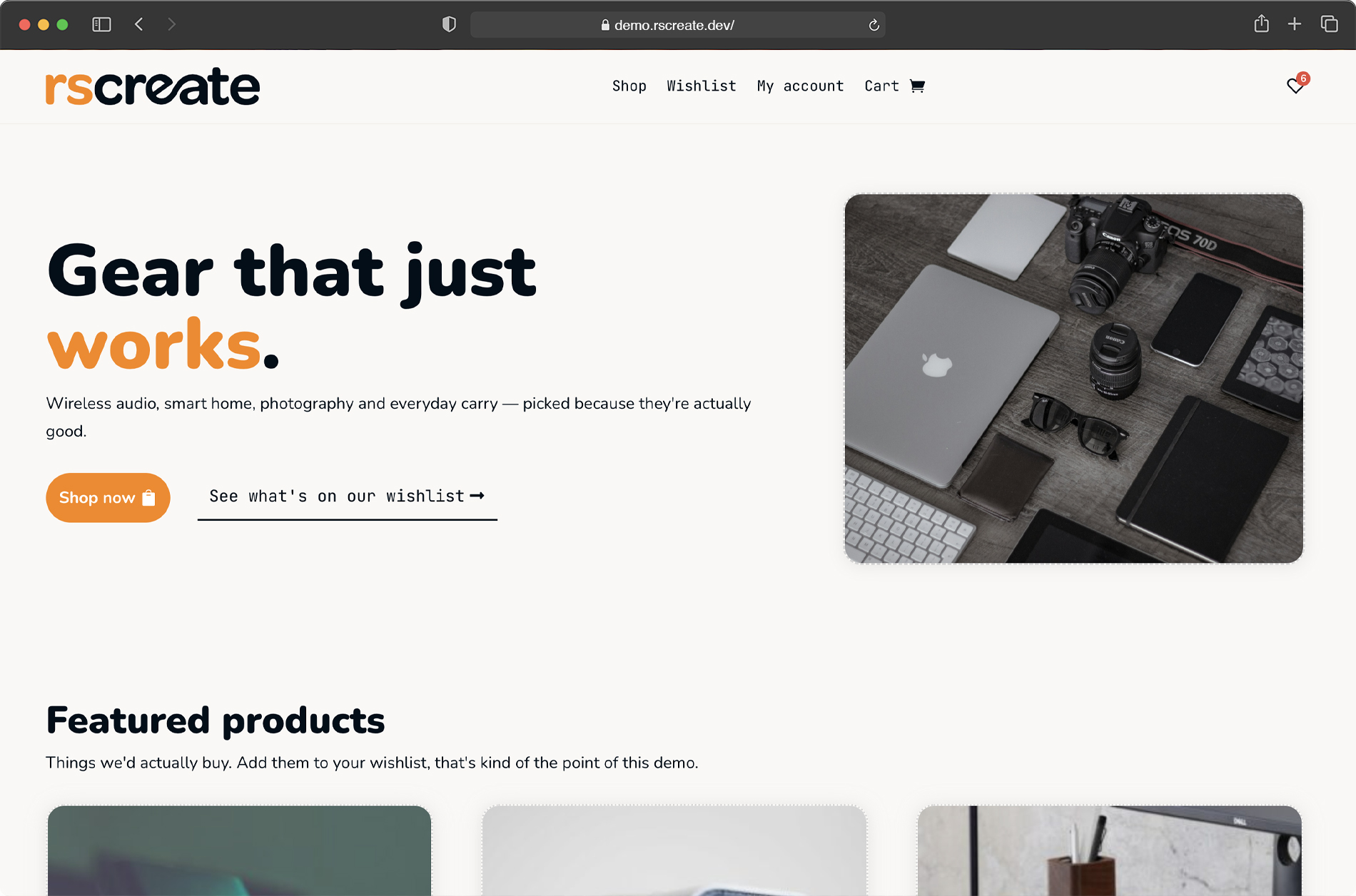
Screenshots only get you so far. We built a full demo store with Wishlist Pro running on live Divi 5 templates. Add a product, watch the heart fill, trigger a back-in-stock email and poke at the builder settings yourself.
It’s the fastest way to know if it fits your build. No signup, no sales call.
Wishlist Pro is actively developed
These are the features on the list right now. Sequence depends on demand, so if something here is important to you, reach out.
Multiple wishlists per user ("Birthday", "Home renovation")
Rename wishlists and set them to public or private
Move to cart button on the wishlist page
Notes per item ("Size L please")
Stock status visible in the wishlist
Price drop notifications by email
Expanded analytics: wishlist-to-cart conversion rate
Klaviyo and Mailchimp integration
WPML and Polylang support
Pre-built Divi Theme Builder layouts
Got a feature that's not on here? email us. The list gets updated based on what stores actually need.
Questions, answered
Still unsure? Email hi@rscreate.dev
a developer replies, not a bot.
Does it work with my theme?
Wishlist Pro is built for Divi 5 + WooCommerce. The wishlist itself works on any theme via a block/shortcode, but the native module and builder styling controls need Divi 5.
Do I need a build step or developer?
No. It’s a standard WordPress plugin. Upload, activate and the Wishlist module appears in your Divi 5 builder. No npm, no compiling, no config files.
Does it work with product variations?
Yes. The exact variation is saved. Color, size, whatever. The wishlist button updates in real time when someone switches variants. The wishlist page shows variation info alongside the product.
How do the back-in-stock emails work?
Customers opt in from the wishlist. When a product’s stock goes above zero, WooCommerce + WordPress cron sends a branded, translatable email. Everything runs on your server, no external service or per-email cost.
Does it work with WooCommerce HPOS?
Yes. Wishlist Pro is compatible with WooCommerce High-Performance Order Storage.
Can I use it without Divi?
Yes. Use [wishlist_pro], [wishlist_pro_count], and [wishlist_pro_button] as regular shortcodes anywhere in WordPress.
What are the requirements?
WordPress 6.5+, WooCommerce 8.0+, PHP 8.1+. Divi 5 for the native modules. No Composer, no build step, no external services.
Will it slow down my store?
No. 105KB total, server-rendered, no render-blocking scripts. Core Web Vitals are not affected.
Can I set a maximum number of items per customer?
Yes, from the admin panel. Set a limit or leave it at 0 for unlimited. Applies to both guest and logged-in wishlists.
Is it translatable?
Yes. A .pot translation file is included. Works with standard WordPress translation tools.
What happens when I uninstall it?
A full uninstall removes all wishlist data and database tables cleanly. No leftover rows.
What's included in the €29?
A one-time payment for a lifetime license on one site, with one year of updates and support included. Updates keep working after that, you only renew if you want the latest releases.
Can I get a refund?
Yes. If it doesn’t fit your build, email us within 14 days for a full refund. No forms, no friction.
Get the plugin
Add Wishlist Pro to your next Divi 5 build.
One-time payment. Drop-in, no build step, maintained. Recover lost sales with back-in-stock emails. Starting today.
€29
one-time • Lifetime license
✔ Native Divi 5 module
✔ Back-in-stock emails
✔ 1 year updates & support